


Set up in minutes. Stay connected for miles.
Six guided steps in the app, then SmartHub keeps an eye on your RV wherever the road takes you.
One Gateway connects it all.
Temperature & Humidity Sensor
Place it where your pets stay, or anywhere conditions matter.
IncludedDoor & Hatch Contact Sensor
On your entry door or a storage bay, with tamper alerts.
IncludedRV Battery Voltage Sensor
Monitors a chassis or auxiliary battery of your choice.
Included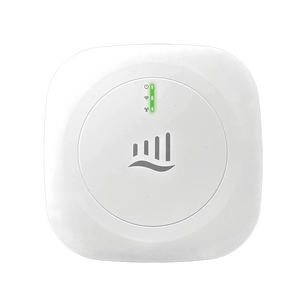
SmartHub Gateway
GPS · Backup battery · Alarm siren · Temperature · Battery voltage
Built-in cellular
Connects automatically when you plug in. No setup, password or campground Wi-Fi needed.
Included with your planWi-Fi
Pair a 2.4 GHz network in the app. If it drops, the Gateway switches to cellular automatically.
Built-inSmartHubSensors app
Check readings, arm the alarm and get alerts by push, text and email.
iOS & AndroidYour sensors report to the Gateway, and the Gateway sends everything to the SmartHubSensors app over cellular or Wi-Fi.
Six steps to get started.
The SmartHubSensors app walks you through every step.

Get the app
Download the SmartHubSensors app from the App Store or Google Play, then create your account.
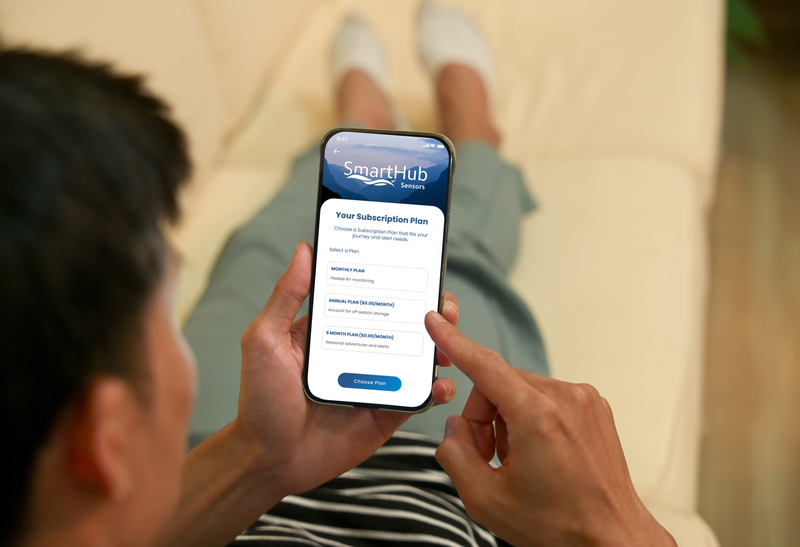
Activate your plan
Choose monthly, 6-month or annual and subscribe in the app with PayPal or a credit/debit card.
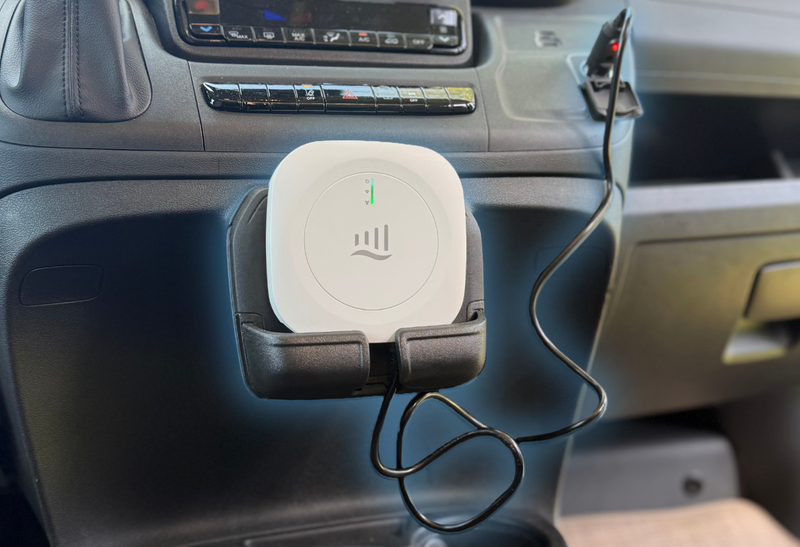
Plug in and power on
Connect the Gateway to 12V power, the direct-wire pigtail or the AC wall adapter, then switch it on. It connects to cellular automatically.
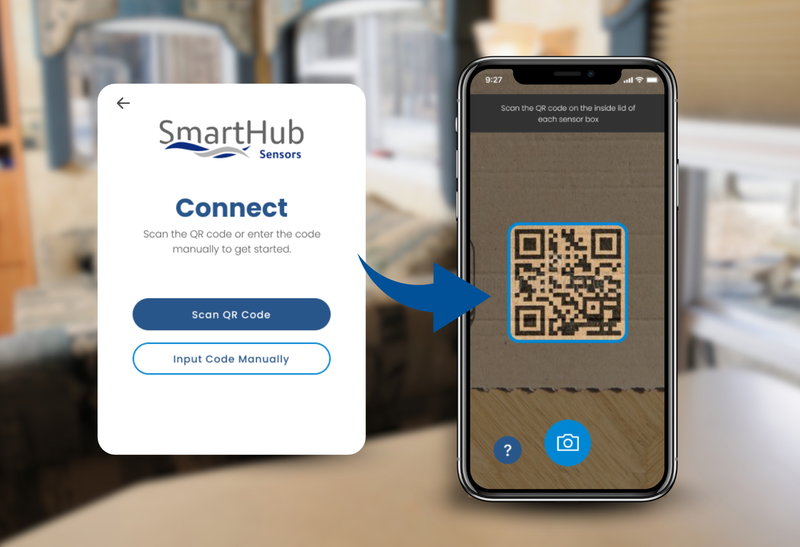
Connect your Gateway
Scan the QR code on the Gateway to link it to your account.
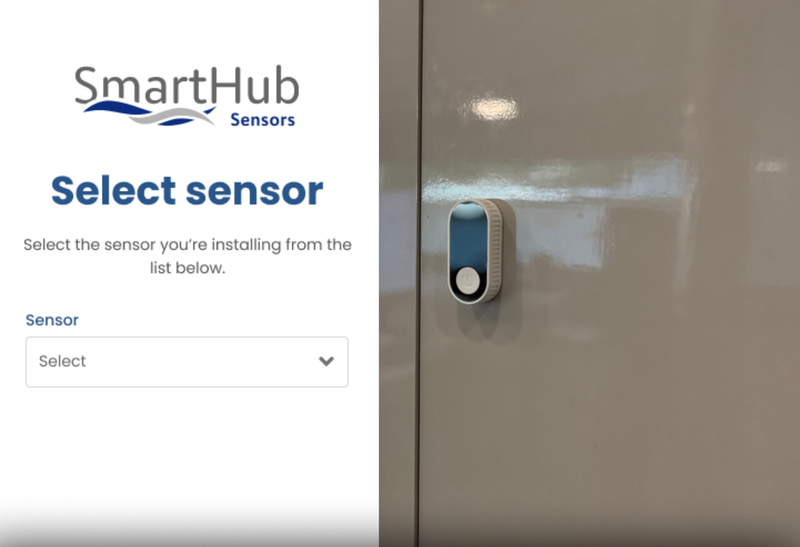
Add your sensors
Scan each sensor's QR code, give it a name, and place it wherever works best for your RV.
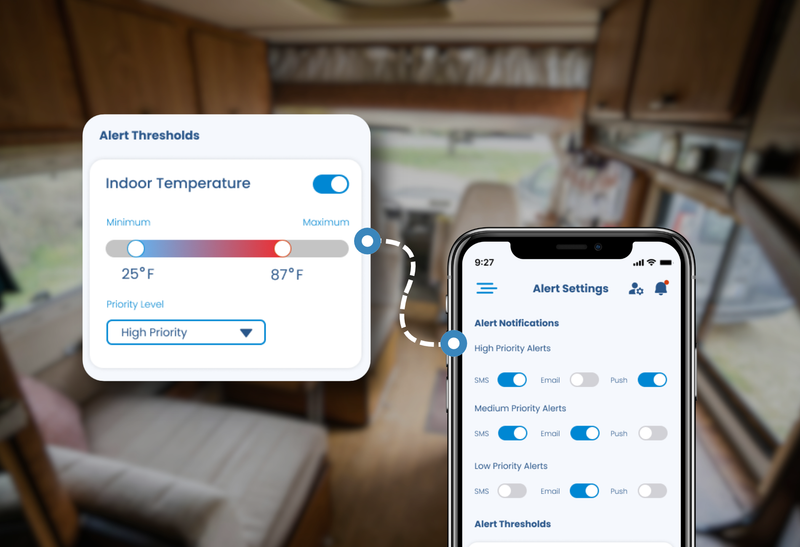
Customize your alerts
Set your temperature, humidity and battery thresholds, choose how you're notified, and invite family.
What SmartHub keeps an eye on.
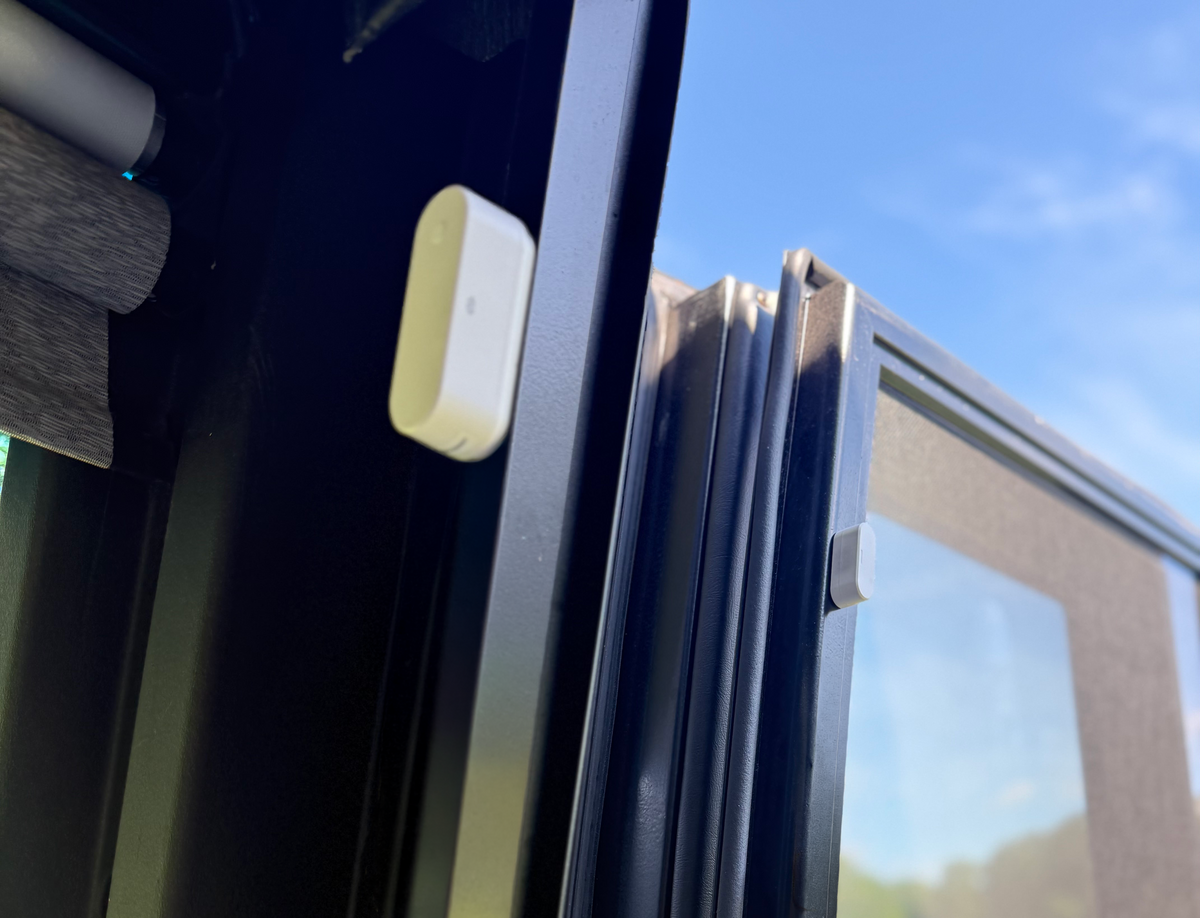
Put sensors where they matter most.
You customize where each sensor goes to fit your RV. A typical setup looks like this:
- Temperature & Humidity Sensor where your pets spend their time
- Door & Hatch Contact Sensor on your main entry door or a storage bay
- RV Battery Voltage Sensor on your chassis or auxiliary battery
- Gateway in a central spot, out of sight, connected to 12V power to enable its built-in battery monitoring
- No tools needed: sensors attach with adhesive mounts, and the Gateway can also be screw-mounted using the slots on its back
Choose your plan.
Every plan includes the Gateway's cellular service, the app, and alerts by push, text and email.
Monthly
Flexible, month to month.
6 Month
Made for seasonal travel.
Annual
Best value, including off-season storage.
Plans are chosen in the app during setup and renew automatically until you cancel. Plan payments are non-refundable. Have a promo code? Apply it in the app.
Get the SmartHubSensors app


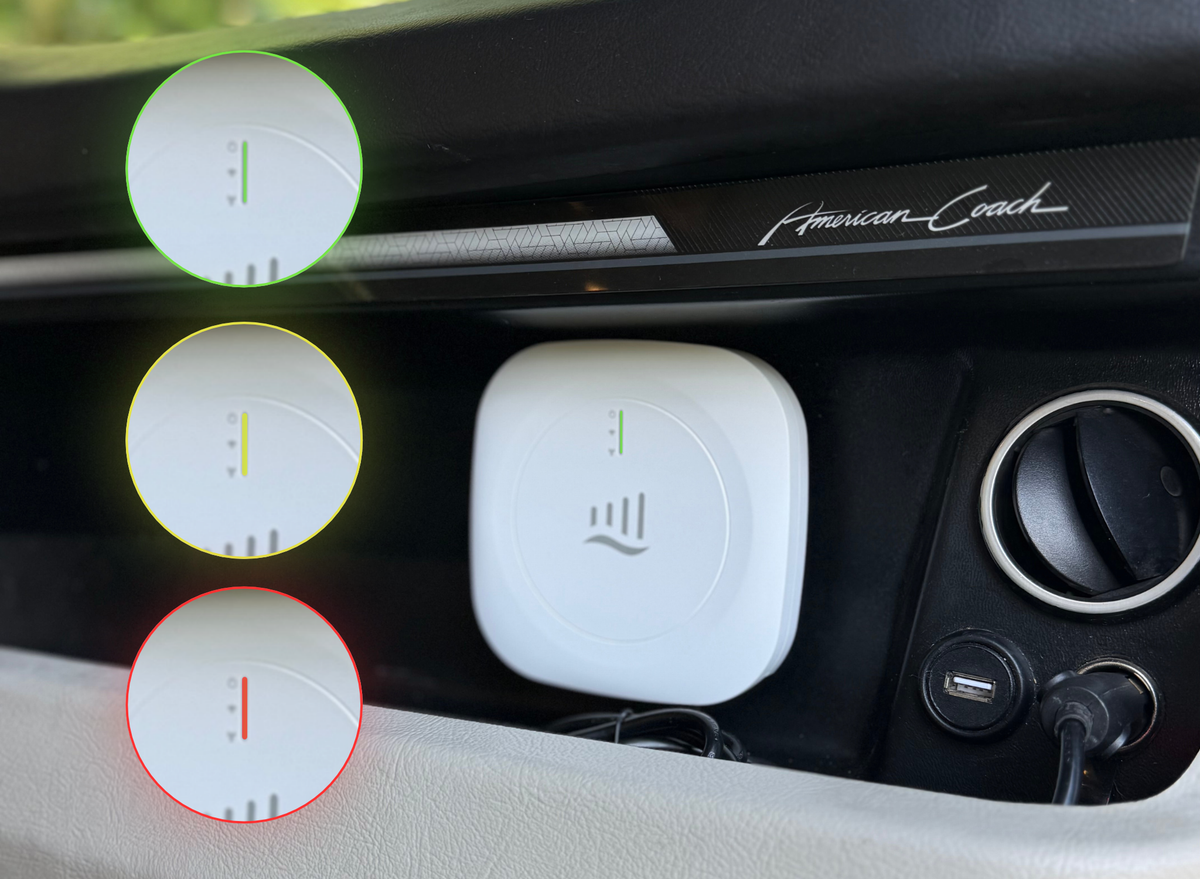
Still watching when the power isn't.
If RV or campground power fails, the Gateway switches to its backup battery and keeps reporting. The backup battery lasts about 36 hours, and SmartHub alerts you when power is lost and again when it's restored.
- 36 hour backup battery
- Instant notifications when power is lost
- Battery status lights on gateway
Setup questions
Do I need Wi-Fi?
No. The Gateway connects over built-in cellular as soon as you plug it in, and cellular service is included with your plan. The Gateway also has built-in Wi-Fi: pair a 2.4 GHz network (not 5 GHz) in the app any time. If your Wi-Fi ever drops, the Gateway switches to cellular automatically, so your sensors keep monitoring and alerting.
How should I power the Gateway?
Use the included 12V vehicle power adapter, wire it into your RV's 12V system with the included direct-wire pigtail, or use the AC wall adapter and USB cable. Connecting to 12V also enables the Gateway's built-in battery voltage monitoring.
Can I add sensors later?
Yes. In the app, go to Menu → Add Sensors and scan the new sensor's QR code.
Can I add another Gateway or RV?
Yes. You can manage multiple RVs from one account and add Gateways by scanning their QR codes.
Why does my dashboard show a dash (-)?
A dash means the Gateway or sensor may be offline or hasn't reported yet. It doesn't necessarily mean anything is broken. Check that the Gateway is powered and connected, and give the sensor a moment to report.
